How to Build a Picture-in-Picture In-World News Broadcast
Turn AI-generated anchor clips into a corner-of-the-screen broadcast that lives inside your novel's world. The broadcast isn't decoration; it's a piece of the story that follows the reader while they're on the page.
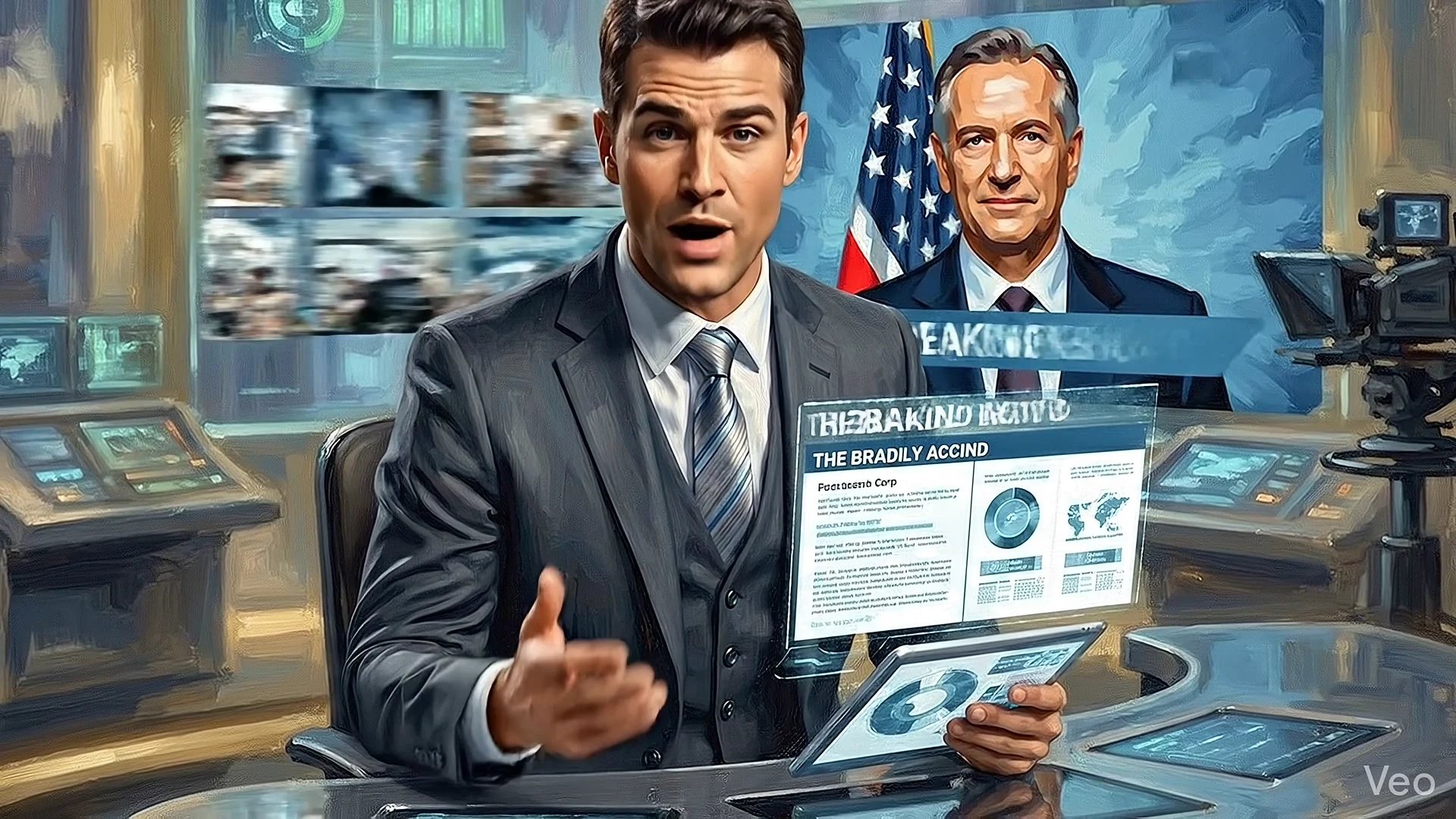
✍️ Note from the Creator
Most websites surround their content with quiet UI. Headers, footers, maybe a newsletter sign-up. But when your site is the doorway into a world, the world should be visible from the doorway. One way to do that is a fictional news broadcast that sits in the corner of the page, looping a friendly anchor, scrolling propaganda headlines, doing the work of background context while the reader is reading.
This tutorial covers the broadcast widget I built for The Roar of Winchester. The fictional network is called XNN (Xerah National News), and its job is to make the antagonist corporation feel present without being explained. If you've read the book, the feel of the holo-cast, the headlines and the general aesthetic should all feel very at home with the novel itself.
The technique here is small but specific: take a free 1/8th of the screen, treat it like a standard picture-in-picture, fill it with content that fits your website or the world that you've built. The same approach works for any world with media in it: cyberpunk feeds, dystopian state broadcasts or for normal websites you can adjust as needed to call attention to specific items while they browse the normal site. The mechanism is universal even if the surface changes.
Prerequisites
- An AI video generation tool (Google Veo 3, Kling, Luma Ray-2, or Runway will all work)
- Basic HTML/CSS/JavaScript familiarity (you'll be adding ~150 lines of inline code to one page)
- ffmpeg for downscaling and compressing the generated clips
- An existing website where you want the broadcast to appear
- ~30 minutes for the build once you have your clips
End Result
A persistent corner widget that:
- Plays a different AI-generated anchor each time the reader visits the page
- Rotates through multiple clips during a single session without repeating any clip back-to-back
- Cycles through propaganda headlines in a lower-third banner every 7 seconds
- Scrolls a small market/advisory ticker along the bottom
- Dismisses with a small × button and reopens with a pill in the same corner
- Costs roughly 1MB per page visit (one clip loads, the rest stay on the server until needed)
Live demo: roarofwinchester.com/main.html (top-right corner).
1 Define the In-World Network
Before generating a single anchor clip, decide what kind of broadcaster lives in your world. The visual language is downstream of this choice. Make it the first decision, not the last.
Three questions to answer
- Who owns the network? A megacorp? A state? A faction? In our case, XNN belongs to Xerah Corporation, the antagonist corporate entity that quietly runs everything in Eloria.
- What is the on-camera voice? Friendly trustworthy corporate? Severe official state? Slick consumer-tech? In our case: friendly trustworthy corporate. The Trojan horse, not the marauding conqueror.
- What does the reader feel watching it? The visitor should feel immersed, as if whatever you have chosen for your picture-in-picture feed has added to their browsing experience, whether that be an immersive world or a focused product.
Color palette
If you want the Trojan horse effect, go cobalt blue + warm gold + white. Modern news widget aesthetic. Apple News, Bloomberg, BBC's softer pages. If you want overtly sinister, go red + black + harsh angles. We chose the Trojan horse because the contrast against the dark literary site is sharper.
2 Decide on your Newsfeed or Other Content
Headline categories
To keep the rotation feeling alive, plan for 8-10 headlines covering different domains (below are examples of what worked for my website, adjust to fit your own purposes):
- Markets: "Corp Q4 yield exceeds projections, citizens share in the bright forecast"
- Wellness/Border: reframe security events as travel-safety guidance
- Policy: rebrand power consolidation as "modernization" or "framework updates"
- Community: dissident events recast as "civic harmony" outcomes
- Civic programs: mass surveillance or behavior modification rebranded as community welfare
- Hiring: recruitment for ethically dubious work, advertised as "real purpose"
- Weather: something benign and ordinary, to make the propaganda land between normal items
- Education: indoctrination programs rebranded as childhood excellence
3 Generate the Anchor Clips
Generate at least six clips: three female-presenting, three male-presenting, or whatever mix makes sense for your world. More variety means less repetition fatigue on long sessions.
Prompt structure
Every anchor prompt should specify the same six elements:
- Subject: friendly professional news anchor
- Setting: modern broadcast studio with your world's color palette
- Action: looking warmly at camera, speaking silently, slight smile, gentle gestures
- Mood: trustworthy, reassuring, professional
- Visual style: match your novel's existing art direction (we use a painterly style)
- Technical: 16:9, no text overlays, no audio needed, loops cleanly
Sample prompts (drop-in ready)
These are the exact prompts I used for the XNN clips. Adapt the descriptions to your world's aesthetic.
Suggested workflow
- Generate one anchor clip first as a test. Verify the painterly tone, friendliness, framing match your vision.
- If it feels off, adjust the prompt (e.g. "more warmth", "less serious", "softer studio lighting") and regenerate.
- Once one clip locks the aesthetic, generate the other five.
- Save all clips at native resolution (usually 1920x1080). You'll downscale for delivery in the next step.
4 Build the PiP Component
The widget is a single self-contained block of HTML + scoped CSS + IIFE JavaScript that you inject into the page right before </body>. Everything is namespaced under .xnn-pip (or whatever your network prefix is) so it can't collide with the host site's existing styles.
HTML structure
<div class="xnn-pip" id="xnn-pip">
  <!-- Top bar: logo + LIVE indicator + close button -->
  <div class="pip-header">
    <div class="pip-logo">
      <span class="badge">X</span>
      <span class="name">Xerah<span class="nn">News</span></span>
    </div>
    <div class="pip-live">
      <span class="dot"></span>LIVE
      <button class="pip-close" id="xnn-close">×</button>
    </div>
  </div>

  <!-- 16:9 video frame with lower-third overlay -->
  <div class="pip-video">
    <video id="xnn-anchor-feed" class="anchor-feed"
           muted autoplay playsinline preload="none"></video>
    <div class="lower-third">
      <div class="title-bar" id="xnn-headline-title">…</div>
      <div class="topic-bar" id="xnn-headline-topic">…</div>
    </div>
  </div>

  <!-- Network bug -->
  <div class="watermark">XNN</div>

  <!-- Bottom ticker -->
  <div class="pip-ticker">
    <div class="ticker-label">XNN</div>
    <div class="ticker-track" id="xnn-ticker-track"></div>
  </div>

  <!-- Status bar -->
  <div class="pip-status">
    <span id="xnn-clock">07:52 NLT</span>
    <span class="accent">New Lancaster</span>
  </div>
</div>

<!-- Reopen pill (hidden until close clicked) -->
<button class="xnn-pip-reopen" id="xnn-reopen">
  <span class="badge">X</span> XNN
</button>
The critical CSS rules
Most of the CSS is cosmetic (colors, padding, typography). Five rules carry the structural weight:
/* 1. Fixed corner placement with viewport-aware sizing */
.xnn-pip {
  position: fixed;
  top: 1.2rem;
  right: 1.2rem;
  width: 340px;
  max-width: 28vw;   /* about 1/8th of the viewport */
  z-index: 9999;     /* above the host site's content */
}

/* 2. 16:9 video frame that the clip fills */
.xnn-pip .pip-video {
  position: relative;
  aspect-ratio: 16 / 9;
}
.xnn-pip .anchor-feed {
  position: absolute;
  inset: 0;
  width: 100%;
  height: 100%;
  object-fit: cover; /* fills frame without letterboxing */
}

/* 3. Lower-third sits on top of the video */
.xnn-pip .lower-third {
  position: absolute;
  bottom: 0;
  left: 0; right: 0;
  z-index: 4;
}

/* 4. Mobile shrink */
@media (max-width: 600px) {
  .xnn-pip { width: 280px; max-width: 90vw; }
}

/* 5. System fonts (zero extra font requests) */
.xnn-pip {
  font-family: -apple-system, BlinkMacSystemFont,
               'Segoe UI', Roboto, 'Helvetica Neue', Arial, sans-serif;
}
max-width: 28vw? Without it, the widget would stay 340px on a small laptop and dominate the viewport. Capping it at 28% of viewport width keeps it at roughly 1/8th of the screen across all desktop and tablet sizes.
5 Wire Constant Non-Repeating Rotation
The most important behavior in this widget. A reader who sees the same anchor in a loop for ten minutes will dismiss the broadcast and never look at it again. The fix is to play each clip once, then pick a different one when it ends.
Key trick: drop the loop attribute
If the <video> element has loop, the ended event never fires. To make rotation possible, the video element must be without loop:
<video id="xnn-anchor-feed"
       muted autoplay playsinline preload="none">
</video>
The rotation engine
const anchorClips = [
  '/xnn/anchor-1.mp4', '/xnn/anchor-2.mp4', '/xnn/anchor-3.mp4',
  '/xnn/anchor-4.mp4', '/xnn/anchor-5.mp4', '/xnn/anchor-6.mp4'
];

let lastAnchorIdx = -1;

function pickNextAnchor() {
  const video = document.getElementById('xnn-anchor-feed');
  // Pick a random index that's NOT the one we just played
  let idx;
  do {
    idx = Math.floor(Math.random() * anchorClips.length);
  } while (idx === lastAnchorIdx && anchorClips.length > 1);
  lastAnchorIdx = idx;

  video.src = anchorClips[idx];
  video.play().catch(function() {}); // swallow autoplay-blocked errors
}

// On boot: pick the first clip
pickNextAnchor();

// On every "ended" event: pick a different clip
const video = document.getElementById('xnn-anchor-feed');
video.addEventListener('ended', pickNextAnchor);
The do…while loop guarantees no clip plays twice in a row. With six clips at 8 seconds each, a reader sees a fresh anchor every 8 seconds, and a full visible cycle takes about 48 seconds.
6 Performance Guards
A widget that drops a megabyte of video onto every page load will hurt your site's load times and lighthouse scores. Six guards together solve this.
1. preload="none" on the video element
Without this, the browser starts fetching the video the instant it parses the HTML, competing with critical resources. With preload="none", the video request only fires when JS attaches src and calls play().
2. Defer the first load via requestIdleCallback
if ('requestIdleCallback' in window) {
  requestIdleCallback(pickNextAnchor, { timeout: 1500 });
} else {
  setTimeout(pickNextAnchor, 200);
}
The browser paints the page first, then loads the video when it's idle. The widget is in place visually within the first frame; the video joins a moment later.
3. Skip video on slow connections / data-saver
function shouldSkipVideo() {
  const conn = navigator.connection
            || navigator.mozConnection
            || navigator.webkitConnection;
  if (conn) {
    if (conn.saveData) return true;
    if (conn.effectiveType === 'slow-2g'
     || conn.effectiveType === '2g') return true;
  }
  return false;
}
Mobile users on cellular data with saveData mode enabled see the widget frame with a soft gradient where the video would be, instead of a 1MB download they didn't ask for.
4. Pause when the tab is hidden
document.addEventListener('visibilitychange', function() {
  const video = document.getElementById('xnn-anchor-feed');
  if (document.hidden) {
    video.pause();
  } else if (video.src) {
    video.play().catch(function() {});
  }
});
When the reader switches tabs, the video pauses. CPU and battery preserved. When they come back, it resumes.
5. Respect prefers-reduced-motion
Some readers turn off motion at the OS level for vestibular reasons. The CSS media query handles this:
@media (prefers-reduced-motion: reduce) {
  .xnn-pip .pip-ticker .ticker-track,
  .xnn-pip .pip-live .dot {
    animation: none !important;
  }
}
6. System fonts only
Don't load Google Fonts for the widget's UI. Use the platform's native sans-serif stack and the widget adds zero font network requests when integrated into a host site.
.xnn-pip {
  font-family: -apple-system, BlinkMacSystemFont,
               'Segoe UI', Roboto, 'Helvetica Neue',
               Arial, sans-serif;
}
Video file optimization
Even with all the guards above, the video file size matters because it's still ~1MB per page view. Two-pass optimization with ffmpeg:
# Downscale 1920x1080 → 854x480 (PiP renders at ~340px wide,
# so 480p is right-sized for retina without overshoot)
ffmpeg -y -i anchor-1080p.mp4 \
  -vf "scale=854:480:flags=lanczos" \
  -c:v libx264 -preset slow -crf 27 \
  -tune animation \
  -pix_fmt yuv420p -profile:v main -level 4.0 \
  -movflags +faststart -an \
  anchor-1.mp4
-tune animation: painterly clips compress especially well under this preset-crf 27: visually identical to 23 at 340px render size, ~40% smaller file-an: strip audio entirely (the widget runs silent anyway)-movflags +faststart: moves the moov atom to the start of the file so playback can begin before the full download completes
Our six clips total 6.8MB at 480p. Each is roughly 1-1.5MB. Single page view downloads only one. Worst-case total bandwidth for a reader who stays on the page for 48 seconds and sees all six clips: 6.8MB cumulative.
7 Deploy
Three steps. Back up first; this is the rule even when the change is small.
1. Back up the live page
TS=$(date +%Y%m%d-%H%M%S)
cp -a /var/www/your-site /var/www/your-site.backup-pre-pip-${TS}
2. Upload the videos
ssh your-server 'mkdir -p /var/www/your-site/xnn'
scp anchor-{1,2,3,4,5,6}.mp4 your-server:/var/www/your-site/xnn/
3. Inject the snippet before </body>
Drop the full PiP block (HTML + scoped CSS + IIFE JavaScript) into the target page, right before the closing </body> tag. Scope it to one page only by editing only that file, not your site-wide template.
4. Verify the scope is right
After deploying, curl every page to confirm the widget appears where it should and nowhere else:
for path in / /index.html /tutorial /blog /contact.html; do
  count=$(curl -s "https://your-site.com${path}" | grep -c "xnn-pip")
  echo "${path}: xnn-pip references = ${count}"
done
Target page should return a non-zero count; every other page should return 0.
How It Works
The widget is three rotating systems running on three different timers, layered on top of a video that doesn't loop.
- Video rotation (on
ended): when a clip finishes playing, JS picks a non-repeating random next clip and assigns it tovideo.src. Theendedevent fires every 8 seconds. - Headline rotation (every 7 seconds):
setIntervalcycles through the headlines array, fading the lower-third out and back in with a 300ms opacity transition. - Ticker scroll (continuous CSS animation): the ticker track is duplicated in the DOM and animated with
transform: translateX(-50%)over 55 seconds. Because the content is doubled, the transition from end to start is invisible. - Live clock (every second): a small
setIntervalupdates the in-world date stamp ("Holy 1313.137 · 07:52 NLT") so the broadcast feels alive even when nothing else changes.
None of these systems share state. If one fails, the others keep going. The widget degrades gracefully: a reader on a slow connection sees the static frame with the headlines and ticker still cycling.
Troubleshooting
The video doesn't autoplay on iOS
iOS only autoplays muted video, and only with playsinline set. Make sure all three attributes are present on the <video> element: muted autoplay playsinline. If you forget playsinline, iOS will try to launch the video into fullscreen.
The same anchor keeps appearing back-to-back
The lastAnchorIdx variable is the guard against this. If you see repeats, verify the do…while loop is wrapping the index pick, not the assignment. The check should be idx === lastAnchorIdx, not video.src === anchorClips[idx] (which won't work because video.src is the full URL).
The widget covers part of the page content
The widget is position: fixed, so it always overlays content. If your page has a navigation bar in the top-right corner, the widget will sit on top of it. Either move the nav to the top-left, or move the widget to bottom-right by swapping top: 1.2rem for bottom: 1.2rem in .xnn-pip and .xnn-pip-reopen.
The video looks pixelated
You probably re-encoded at too aggressive a CRF. Drop CRF from 28 back to 25 or 23. Or check that you downscaled to at least 854x480; anything smaller is undersized for a 340px render with retina display.
The widget loads slowly on first visit
Use a CDN. Cloudflare in front of your origin server gives near-instant video delivery globally. Set Cache-Control: public, max-age=31536000 on the video files since they never change. On a CDN-cached site, the widget loads in under 400ms even on a slow connection.
Different anchors have different shot framing and it looks inconsistent
This is the most common issue, and the only fix is regeneration. When you write the prompts, specify the framing identically across all clips ("medium close-up", "wide-medium shot", etc.) and the studio lighting identically. The painterly art style does most of the unifying work; consistent shot framing does the rest.
Built for The Roar of Winchester. See it in action: roarofwinchester.com/main.html (top-right corner).